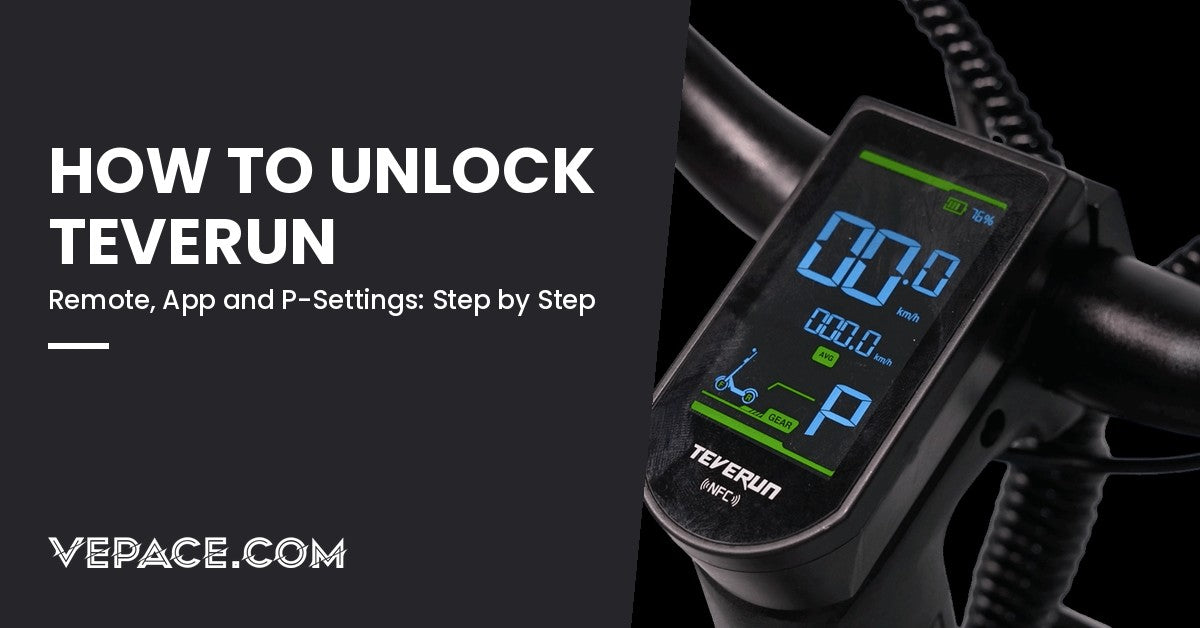
Every Teverun scooter sold in Europe leaves the factory limited to 25 km/h, the most common road limit in the EU. The full speed is still there, locked behind a setting. Depending on your model and its display, you remove that limit with the remote key fob, the Teverun app, or, on older LED models, the P-settings menu. This guide shows which method fits your scooter, the exact steps, how to check that it worked, what to do when it doesn't, and how to lock it again before you ride on a public road.
Private land only. Removing the limiter is not illegal in itself; riding the scooter unlocked on public roads is. E-scooters are limited to 25 km/h in France, Spain, Belgium and Portugal, and to 20 km/h in Germany, Italy and Poland. Above that limit your scooter is no longer road-legal and your insurance can refuse to pay after an accident.
Unlock only to ride on private property or closed tracks, and put the limit back before you ride in traffic.
Which Method for Your Teverun?
Teverun has changed displays and locks several times since 2023, so the model name alone does not tell you the method. Look at two things: the screen on your stem or handlebar, and whether your scooter came with an oval remote key fob in the box.
| What you have | Typical models | How to unlock |
|---|---|---|
| TFT colour display + remote fob, green "Ready" icon on screen | 2026 Fighter Mini Pro, Blade GT II, Fighter Supreme 7260R, Blade Mini Ultra | Remote fob (method 1) |
| TFT colour display, Teverun app, no remote | Fighter Mini / Mini Pro 2024–2025, Fighter Eleven, Fighter Supreme | Teverun app (method 2) |
| LED display, no app | Early Fighter Mini, Fighter Mini Eco, Blade Mini | P-settings on the display (method 3) |
| Country-specific hard-locked version | Some versions sold for a single market | Cannot be unlocked by the rider |
If you are unsure, check the user manual in the box: it names the display type. The NFC card that starts your scooter is not the remote fob and has nothing to do with the speed limit.
Method 1: Unlock With the Remote Fob (2025–2026 TFT Models)
Recent Teverun scooters with a TFT screen show a small green "Ready" icon while the 25 km/h limit is active. The remote that came with the scooter switches this mode on and off. The receiver sits behind the top edge of the display, so where you hold the fob matters more than how hard you press.
- Switch the scooter on and check the screen. Green "Ready" icon visible means the scooter is limited.
- Hold the fob just above the top edge of the display, a few centimetres away. Not over the middle or the bottom of the screen.
- Press and hold the unlock button (open padlock). While still holding it, press and hold the lock button (closed padlock).
- Keep both pressed for about one second, then release.
- Check the screen. The green "Ready" icon has gone: the limiter is off.
To lock it again: hold the fob at the top of the display and press the middle button (lightning bolt) once. The "Ready" icon comes back and the scooter is capped at 25 km/h.
Do not use the P-settings menu on these 2026 TFT displays to change speed or power by hand. Values that don't match your battery and motors can trigger error codes or erratic throttle response. Everything you want to adjust (acceleration, braking strength, lights) is in the Teverun app, which checks the values against your configuration.
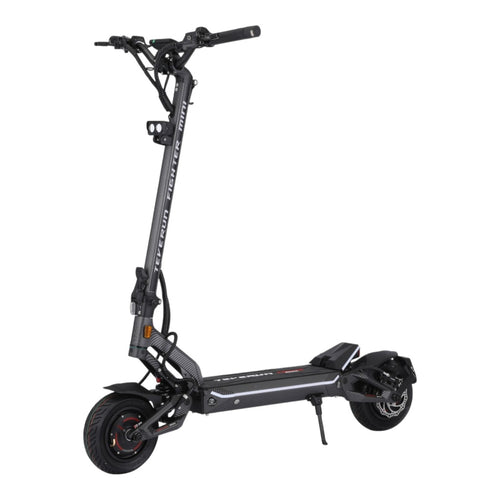
- Top speed70 km/h
- Range100 km
- Motor power2x1000W
- Battery60V 31.8Ah
The Teverun Fighter Mini Pro is the model our customers ask about most. It uses two 1000 W BOSCH motors and a 60 V battery, and is delivered at 25 km/h. Unlocked on private land it reaches 65 to 70 km/h, which is why the remote and app settings matter so much on this scooter.
Method 2: Unlock in the Teverun App
On TFT models without a remote, the speed limiter is a setting in the official Teverun app (iOS and Android). Only the registered owner of the scooter can change it.
- Install the Teverun app and create an account.
- Switch the scooter on, enable Bluetooth on your phone and pair the scooter from the app. Keep the phone close to the display.
- Register as owner when the app asks. Some versions ask you to request the unlock first; the option can take a short time to appear after the request.
- Open the settings and find "System Speed Limit" (on some app versions the 25 km/h mode is called "Safe mode" in the advanced settings).
- Switch it off, then restart the scooter.
- Select the S (Sport) gear with the "+" button to use the full speed.
The app also lets you set the top speed of gears 1 to 5 freely, a power limit in percent, the electric brake level and the start level of each motor. A good use of this: keep gear 1 at 25 km/h for the road, and set higher gears only for private use.
How the gears work on TFT models
| Gear | Speed | Editable in the app |
|---|---|---|
| Walking | 6 km/h | No |
| ECON | Up to 25 km/h | No |
| 1, 2, 3 (and 4, 5 on some models) | Free, set in the app | Yes: speed, power %, e-brake level, motor start |
| S (Sport) | Maximum speed of the scooter | No |
Source: Teverun Fighter Mini / Blade Mini user manual (TFT display section).
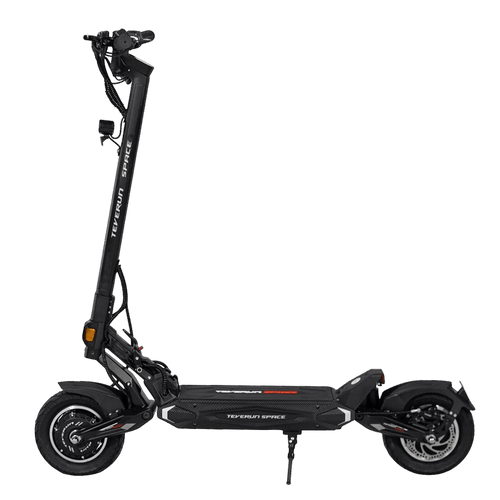
- Top speed55 km/h
- Range60 km
- Motor power2x800W
- Battery52V 18Ah
The Teverun Space is the lighter way into the brand: a single-motor commuter delivered at 25 km/h with the same app ecosystem, so the gear and limiter settings above work the same way.
Method 3: P-Settings on LED Displays (Older Models Without App)
Teverun scooters with the small LED display and no app keep their parameters in a hidden P-menu. The speed limit is P06, set as a percentage from 0 to 100.
- Switch the scooter on and stand it on its kickstand.
- Press "M" twice to open the P-settings.
- Press "M" to move from one item to the next until you reach P06.
- Use "+" or "-" to change the value. Changes save automatically.
- Exit by holding "M", or wait 3 seconds without touching a button.
| Item | What it does | Should you change it? |
|---|---|---|
| P03 | Automatic shutdown time (minutes) | Yes, if you like |
| P04 | Wheel diameter (inches) | No: wrong value means wrong speedometer |
| P05 | Number of motor magnets | Never |
| P06 | Speed limit in percent (0–100) | This is the limiter |
| P07 | Kick start (0 = no, 1 = yes) | Yes, if you like |
| P08 | Acceleration strength (1–5) | Yes, gradually |
| P09 | Cruise control (0 = off, 1 = on) | Yes, if you like |
| P10 | Factory parameter | Never |
Source: Teverun Fighter Mini / Blade Mini user manual (LED display section).
The manual does not give a km/h value for each percentage, and the result depends on battery voltage and motor. Raise P06 in small steps and check the speed on the display. Write down the original value before you change anything, so you can put it back.
On TFT displays the P-menu is protected by a password (2112 in the manual). As explained above, on 2026 TFT models we strongly advise against changing speed or power there: use the remote or the app.
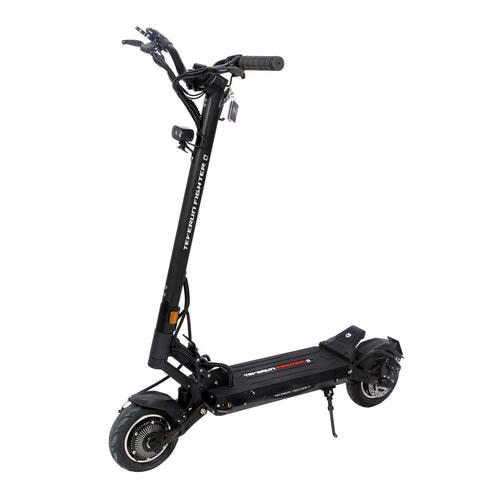
- Top speed50 km/h
- Range40 km
- Motor power2x500W
- Battery52V 13Ah
The Teverun Fighter Mini Q is the entry point to the Fighter family. It ships with a remote, so it follows the fob method: check for the "Ready" icon first.
How to Check the Unlock Worked
- The icon: on TFT models with a remote, the green "Ready" icon must be gone.
- The gear: you must be in the highest gear (S on TFT models). ECON stays at 25 km/h whatever the limiter setting.
- Dual motor: on dual-motor models, check that both motors are switched on. In single-motor mode the top speed is lower.
- Battery: top speed drops as the battery empties. Test with a battery above 80%.
- A safe test: accelerate on a private, flat, empty area. Never test on a road.
It Doesn't Work: Common Problems
| Problem | Likely cause | What to do |
|---|---|---|
| The "Ready" icon stays on after using the remote | Fob held over the middle of the screen, or buttons released too early | Hold the fob at the very top edge and keep both buttons pressed a full second |
| Remote does nothing at all | Flat fob battery, or a fob that was never paired to this scooter | Replace the coin battery; a replacement remote must be paired to the scooter |
| "System Speed Limit" option missing in the app | Not registered as owner, or old app version | Update the app, register as owner, request the unlock and wait for it to appear |
| Speed still capped at about 25 km/h | Riding in ECON or gear 1 | Switch to S with the "+" button |
| Error code after changing P-settings | A protected value was changed | Put back the values you wrote down; if the error stays, contact support |
| Nothing changes at all | Hard-locked country version | This version cannot be unlocked by the rider |
Teverun error codes you may see
LED display (older models):
| Code | Meaning |
|---|---|
| E02 | Brake |
| E06 | Voltage protection |
| E07 | Motor or Hall sensor |
| E08 | Throttle |
| E09 | Controller failure |
| E10 | Communication error |
TFT display:
| Code | Meaning |
|---|---|
| E1 | Front or rear motor failure |
| E2 | Motor Hall sensor failure |
| E3 | Battery failure |
| E4 | Throttle failure |
| E5 | Low-charge protection |
| E6 | Front or rear controller failure |
| E7 | Display failure |
| E8 | Controller over-temperature |
| E9 | Battery over-temperature |
Source: Teverun Fighter Mini / Blade Mini user manual.
For anything other than a low battery or an over-temperature that clears after a rest, stop riding and contact support. A lost remote, a worn display or a missing NFC card can be replaced: we stock original Teverun parts such as the remote control for the Fighter Mini Q and Blade Mini Ultra, NFC cards and the 2026 Fighter Mini Pro display.
Before You Unlock: Warranty, Brakes and Tyres
- Warranty: damage caused by riding beyond the limits set by the manufacturer, or by changed protected parameters, may not be covered. Keep a note of your original settings.
- Brakes: stopping from 60 km/h needs far more distance than from 25 km/h. Check pads and hydraulic levers before any fast ride.
- Tyres: check the pressure written on the sidewall. Underinflated tubeless tyres overheat and lose grip at speed.
- Protection: a full-face helmet, gloves and protective clothing are the minimum for speeds above 25 km/h.
- Battery range: full speed drains the battery much faster. Expect a far shorter range than the figures on the product page, which are measured at moderate speed.
Each brand handles the limiter differently. If you also ride other brands, see our guides on how to unlock a Kukirin and how to unlock a Dualtron, and our overview of electric scooter laws in Europe. The whole range is in our Teverun electric scooters collection.
Source: Teverun Fighter Mini / Blade Mini user manual. Model behaviour can change with firmware updates; if your screen differs from this guide, follow the manual delivered with your scooter.