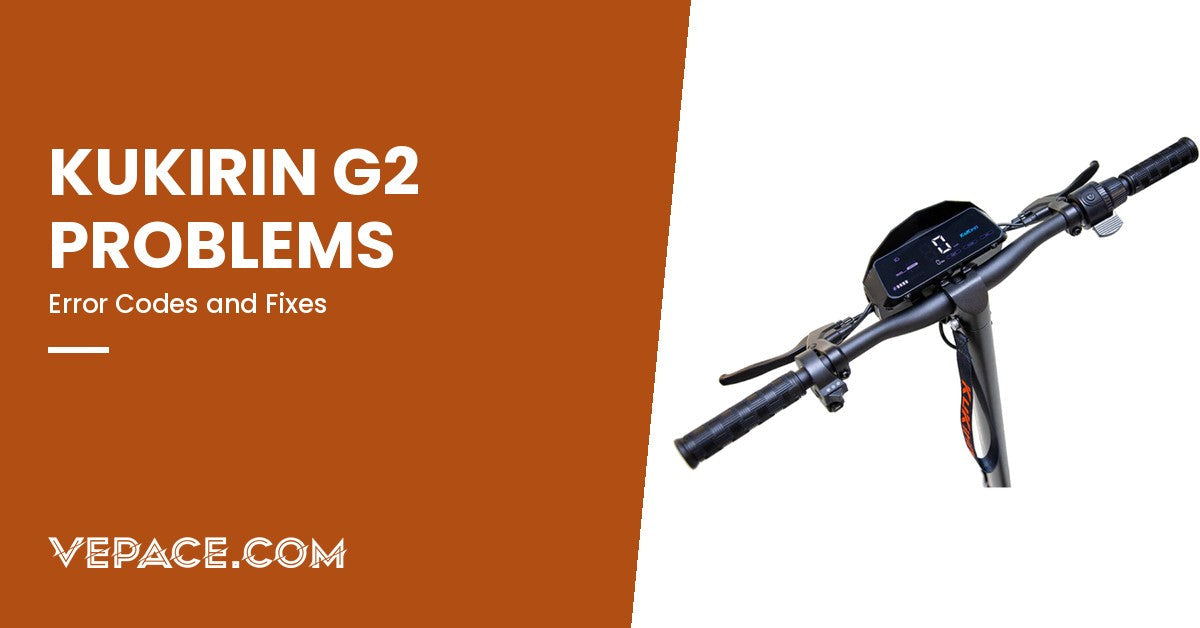
The Kukirin G2 is one of the most popular electric scooters in Europe, and like any scooter ridden every day, it sometimes shows an error code, squeaks, wobbles or stops charging. Most of these problems have a simple cause you can check yourself in a few minutes. This guide lists every G2 error code with its official meaning, then walks through the problems owners report most often, from brakes to charging, with what to check first and when to stop and ask for help.
It covers the G2 (standard and DGT/VMP versions). The G2 Pro, G2 Max and G2 Master use a different display and a different set of codes, listed further down.
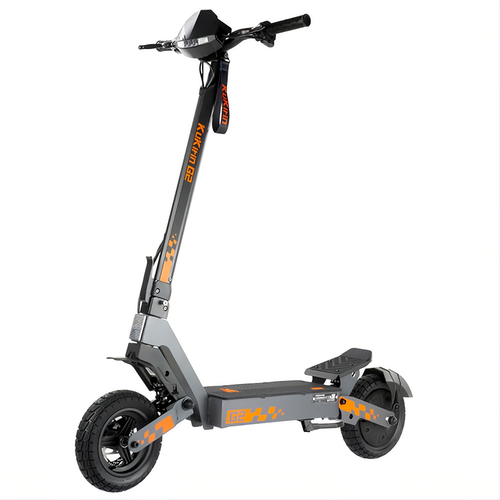
- Top speed45 km/h
- Range55 km
- Motor power800W
- Battery48V 15.6Ah
Kukirin G2 Error Codes: Full List
When the controller detects a fault, the G2 display shows a code instead of your speed. The table below follows Kukirin's official list for the G2, G3 and G4.
| Code | Meaning | What to check first | If it stays |
|---|---|---|---|
| E-0 | Stall: the motor cannot turn | Something blocking the wheel (stone, mudguard rubbing, brake caliper stuck). Free the wheel and restart. | Check the rear brake disc and caliper alignment |
| E-1 | Over-voltage | Often appears right after charging. Unplug the charger and let the scooter rest. | Kukirin recommends leaving it for up to two days, then a system reset by support |
| E-2 | Under-voltage | Battery nearly empty. Charge fully with the original charger. | If the charger light never turns from red to green, test another charger; if the error remains after a full charge, the battery needs checking |
| E-3 | Controller fault | Unplug and reconnect the main cable harness (power off first). | Controller replacement |
| E-4 | Throttle fault | Throttle connector loose, or water in the throttle. Reconnect and dry. | Throttle replacement |
| E-5 | Brake fault | A brake lever still sending a "braking" signal. Check that both levers return fully; reconnect the brake lever connectors. | Brake lever (with its sensor) replacement |
| E-6 | Communication fault between display and controller | Main harness connector, often in the stem near the folding point. | Harness, then controller |
| E-7 | Motor Hall sensor fault | Motor cable connectors (power off first). | Motor, then controller |
| "88" | System error | Turn off, wait one minute, restart. | System reset by support; motor check |
Source: Kukirin official error code list for the G2, G3 and G4. Always switch the scooter off and remove the charger before touching any connector.
G2 Pro, G2 Max and G2 Master codes
The newer G2 models use three-digit codes. If your scooter shows E-001 to E-009, use this table instead.
| Code | Meaning | First step |
|---|---|---|
| E-001 | Motor Hall sensor fault | Reconnect motor connectors |
| E-002 | Throttle fault | Reconnect throttle connector |
| E-003 | Controller fault | Contact support: controller check |
| E-005 | Battery under-voltage | Charge fully; check the charger works |
| E-006 | Display not receiving data | Reconnect main harness |
| E-007 | Display not sending data | Reconnect harness and display connector |
| E-009 | Controller over-temperature | Switch off, let it cool, restart |
Source: Kukirin official error code list.
Brake Problems: Squeaking, Rubbing, Weak Braking
The G2 has mechanical disc brakes front and rear, with a motor cut-off switch in each lever. Three problems come up again and again.
Squealing brakes
- Cause: contaminated pads or disc (oil, chain lube, cleaning spray), or glazed pads after hard braking.
- Fix: clean the disc with isopropyl alcohol and a clean cloth. Lightly sand glazed pads. Never touch the braking surface with greasy fingers.
Disc rubbing or wheel slowing down by itself
- Cause: caliper out of line, often after a wheel has been removed or after a knock.
- Fix: loosen the two caliper bolts, squeeze the brake lever and hold it, tighten the bolts again. The caliper centres itself on the disc. This also cures many E-0 stall codes.
Lever goes too far, weak braking
- Cause: worn pads or a stretched cable.
- Fix: turn the barrel adjuster at the lever to take up slack. If the pads are thinner than about 1.5 mm, replace them. We stock brake pads and brake cables; check the size against your old part.
If the scooter refuses to accelerate and shows E-5, one lever is still telling the controller you are braking. A lever that doesn't spring back fully after a fall is the usual reason.
Stem Wobble and Folding Play
A little play in the stem is the most common complaint on any folding scooter, the G2 included. It usually comes from the folding mechanism, not from a broken part.
- Check the folding clamp: with the stem locked upright, try to rock the handlebar back and forth. If it moves at the hinge, the clamp needs tightening.
- Tighten the adjustment bolt on the folding mechanism (an Allen key is supplied with the scooter) a quarter turn at a time, until the clamp locks firmly but can still be opened by hand.
- Check the headset: if the play is at the base of the stem when you rock the scooter with the front brake on, the steering bearing needs adjusting.
- Never ride with a folding clamp that opens by itself or does not lock fully.
Charging Problems
The G2 uses a 48 V, 2 A charger. A full charge takes about 8 to 9 hours from empty. The charger light is red while charging and turns green when the battery is full.
| What you see | Likely cause | What to do |
|---|---|---|
| Charger light green as soon as you plug in | Plug not fully inserted in the scooter, dirty charging port, or battery protection triggered | Clean and dry the port, reseat the plug firmly, try again after a few minutes |
| Charger light never turns green | Old or faulty charger, or battery balancing after a deep discharge | Leave it plugged in longer once; if it never ends, test another 48 V charger |
| Charger gets very hot or smells | Faulty charger | Unplug immediately and stop using it |
| Scooter charges but shows E-2 again quickly | Weak battery cells | Contact support for a battery check |
Replacement chargers must match the voltage of your battery (48 V for the G2) and the plug type. See our electric scooter chargers and our guide to electric scooter charging time.
Display and Power Problems
- Display stays black: check the battery is charged, then hold the power button for a few seconds. If the display lit up after a fall and then died, the harness connector at the folding point may be loose (often shown as E-6 when it comes back).
- Display flickers while riding: loose connector or water in the display. Dry the scooter indoors and reconnect the harness.
- Touch buttons don't respond: the G2 has a touch-sensitive LED display. Wet or gloved fingers often fail; dry the screen and try with bare fingers.
- Speed shown is wrong: a wrong wheel-size parameter in the settings. Restore the factory value (see the P-settings in your manual).
Loss of Power and Shorter Range
The G2 has an 800 W motor (1200 W peak) and a 48 V 15.6 Ah battery, rated for up to 55 km (65 km for the DGT version). Real range is usually well below that figure. Before suspecting a fault, check:
- Speed mode: riding in gear 3 at 45 km/h uses far more energy than gear 1.
- Tyre pressure: soft tyres cost a lot of range. Check the pressure written on the tyre every two weeks.
- Temperature: in winter, lithium batteries deliver noticeably less energy. A 20 to 30% drop in the cold is normal.
- Rider weight and hills: the G2 is rated for 120 kg; near that limit, on climbs, range and acceleration fall.
- Battery age: after several hundred full cycles, capacity slowly declines.
More detail in our guide to real vs advertised range.
Tyres and Punctures
The G2 runs on 10-inch vacuum (tubeless) off-road tyres. Tubeless tyres resist small punctures well, but they lose air slowly if the bead is not sealed or the valve leaks.
- Slow leak: check the valve with soapy water; tighten or replace the valve core.
- Small puncture in the tread: a tubeless repair plug or a sealant fixes most of them.
- Cut in the sidewall: replace the tyre. See our electric scooter tyres and match the size printed on your sidewall.
Water and Rain
Many sudden errors (E-4 throttle, E-6 communication, flickering display) appear after riding in heavy rain or washing the scooter with a hose. Water gets into connectors and the throttle. Dry the scooter indoors for at least 24 hours before switching it on again, and never use a pressure washer. If you ride often in the rain, see our selection of waterproof electric scooters.
When to Stop Riding and Contact Support
- Any error that comes back after the first checks above.
- Any battery that swells, smells, gets hot when not charging, or makes noise.
- A folding clamp or stem that cannot be tightened.
- Brakes that do not stop the scooter firmly.
Never open the battery yourself. If you bought your G2 from VEPACE, contact our support with your order number and a photo or short video of the display: it is the fastest way to diagnose the fault and, where needed, arrange a warranty repair or the right part.
New to the G2 family? Compare it with its siblings in Kukirin G2 vs G2 Pro and our 10 best Kukirin electric scooters.
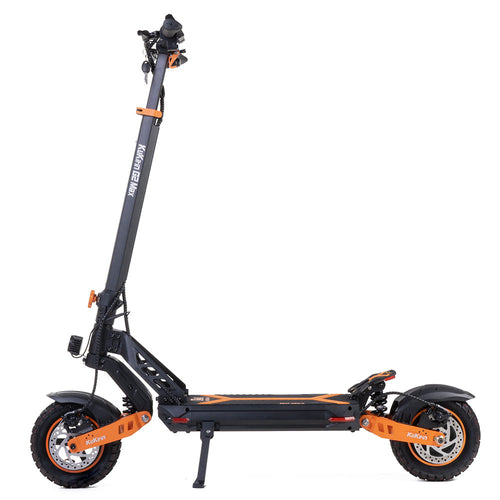
- Top speed55 km/h
- Range80 km
- Motor power1000W
- Battery48V 20Ah
If you need more range than the G2 offers, the Kukirin G2 Max keeps the same family design with a larger battery, rated for up to 80 km.
Sources: Kukirin official error code list; Kukirin G2 2026 product data.